Shape your box
If for any reason you would like to modify the project (e.g. different hardware pieces or different needs), you can modify the Fusion 360 project downloadable at this link.
Structure of the project
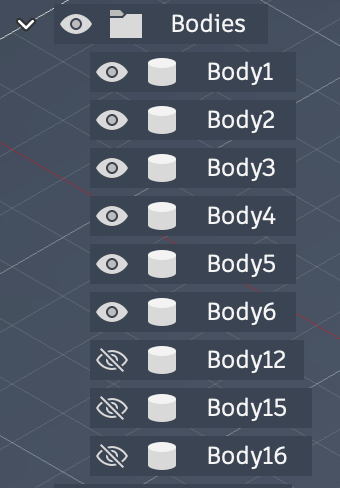
The project is structured around 6 bodies (corresponding to the 6 faces of the box)
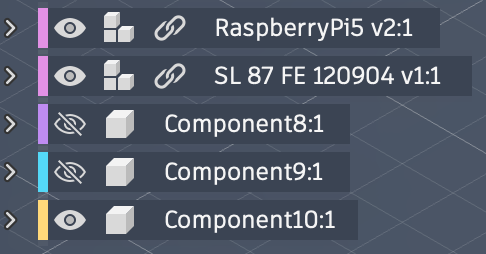
And three components: the Raspberry Pi + Amp module, the Visaton SL 87 FE speaker, and the separation body inside the cabinet (component10:1).
You can find all the sketches and extrusions in the timeline at the bottom of the project and modify them as you wish!
Exports
We will briefly introduce how to retrieve .stl and .svg exports from the bodies of the Fusion project.
Exporting STLs
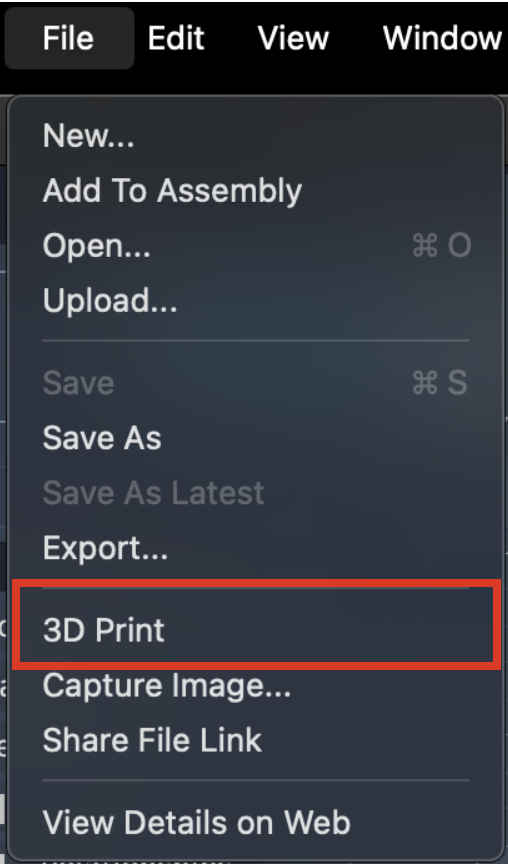
If you want to export .stl files in order to 3D print them (or do whatever you want to do with it), simply select 3D print in Fusion's file menu.
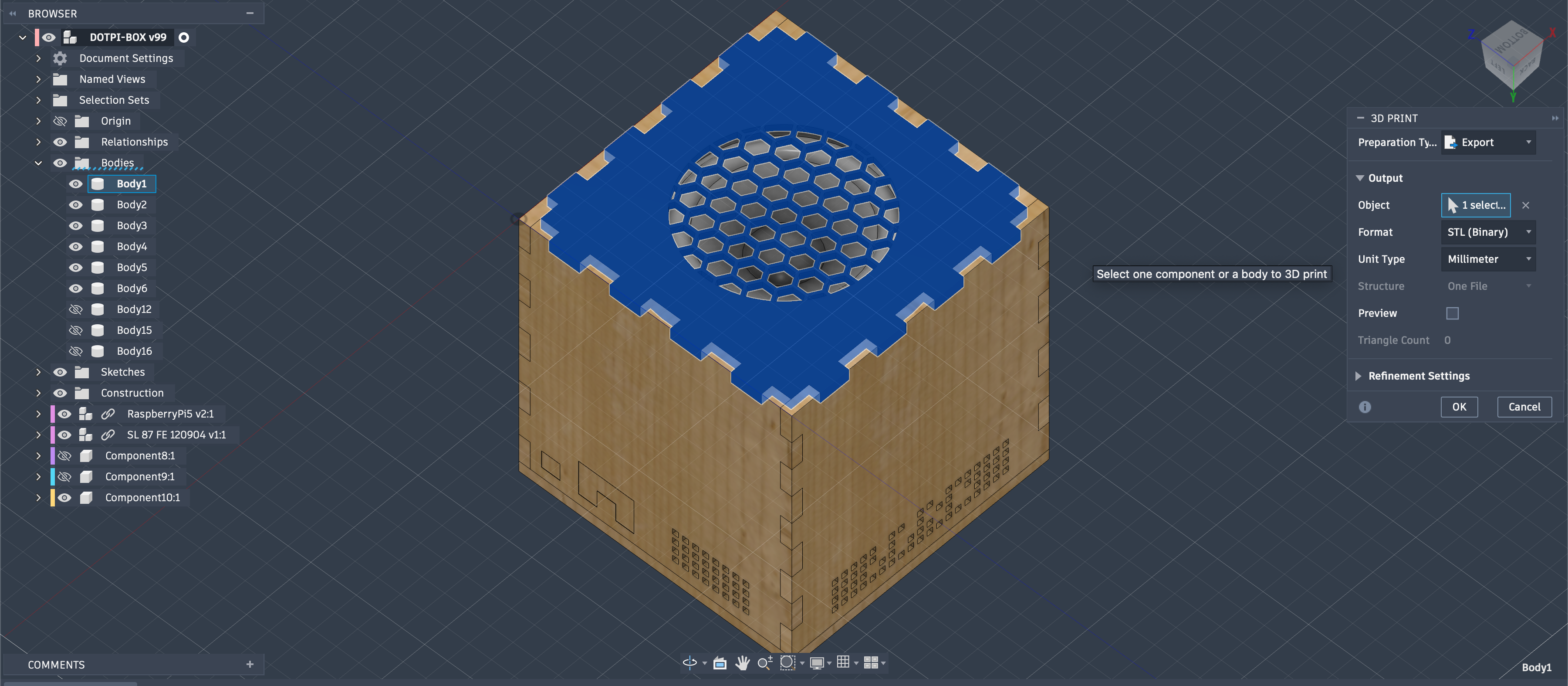
Select the body you want to export (typically body1 or component10:1), select STL as format and Millimeter as unit type then click OK.
Exporting DXFs
If you want to export .dxf files in order to laser cut faces (or do whatever you want to do with it), right click anywhere in Fusion venue.
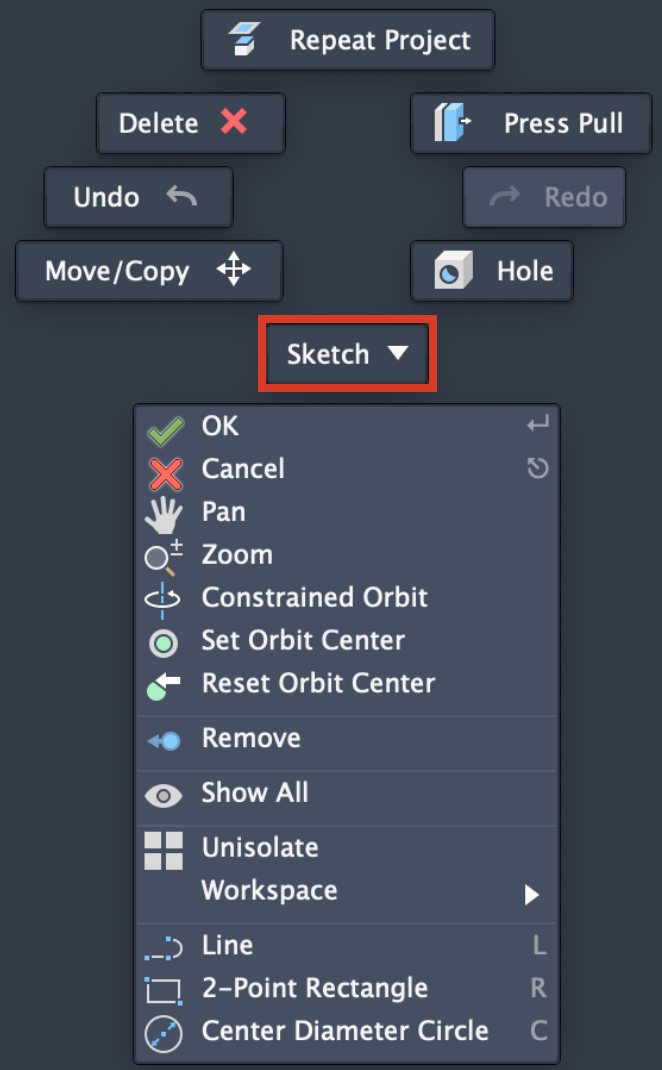
Select Sketch in the drop down menu.
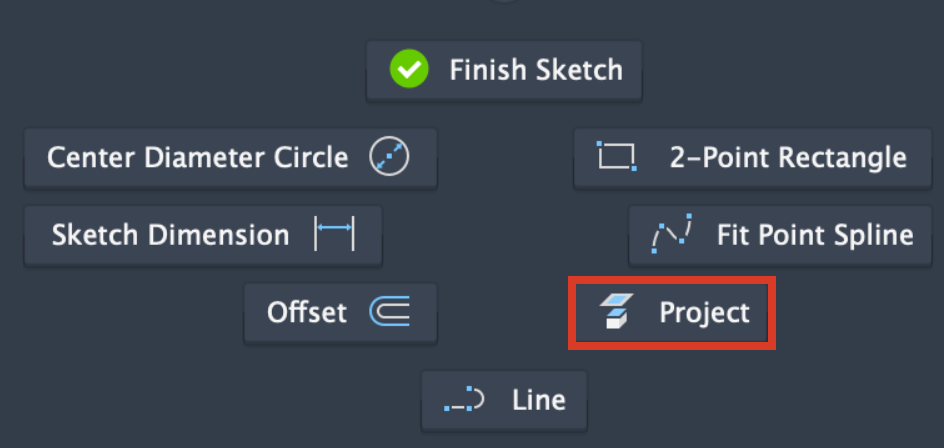
Then select Project.
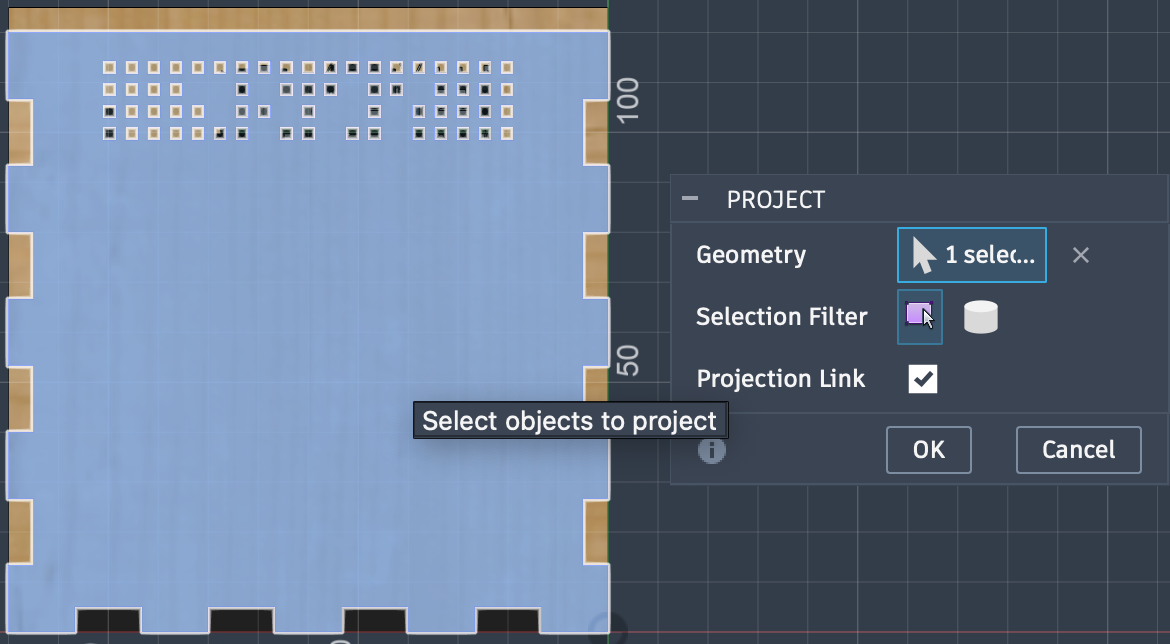
Select the face you want to project then click OK
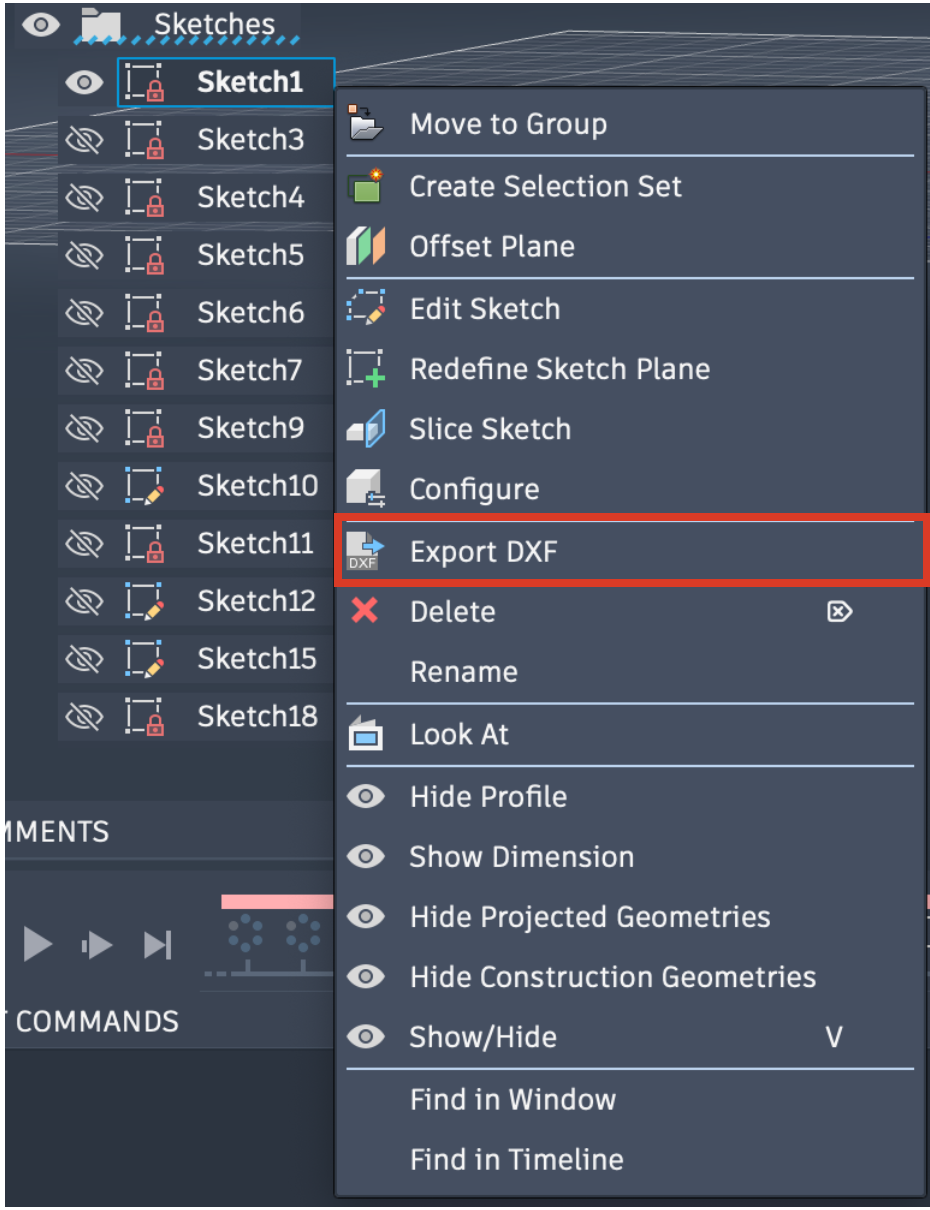
You will then find the projection in the Sketches menu on the left hand side of the venue. Right click on it and select Export DXF
Conclusion
You can now use your own .stl and .dxf files to 3D print and laser cut your customized pieces!